
Pool Vacuum Won’t Move: Why It Happens and How to Fix It
You’ve plugged in your automatic pool cleaner, dropped it in the water, and… nothing. It just sits there like an expensive paperweight at the bottom of your pool. When your pool vacuum won’t move, it’s frustrating — especially when you’ve got leaves piling up and a pool party this weekend.
Quick answer
Pool Vacuum Won’t Move: Why It Happens and How to Fix It: You’ve plugged in your automatic pool cleaner, dropped it in the water, and… nothing. It just sits there like an expensive paperweight at the bottom of your pool. When your pool vacuum won’t move, it’s frustrating —.
The good news? Nine times out of ten, this is a problem you can fix yourself without calling a technician. I’ve been helping pool owners troubleshoot these issues for years, and the fixes usually take between 10-30 minutes with tools you already own.
Let’s figure out what’s wrong with your cleaner and get it moving again.
Why Your Pool Vacuum Stopped Moving (Quick Diagnosis)
Before you start taking things apart, you need to identify what type of vacuum you have. The troubleshooting steps differ significantly based on whether you own a suction-side cleaner, pressure-side cleaner, or robotic pool vacuum.
Suction-Side Cleaners
These connect to your skimmer or a dedicated suction line. Popular models include the Zodiac MX6, Hayward Navigator, and Pentair Kreepy Krauly. They rely on your pool pump’s suction power to move.
If your suction-side cleaner won’t move, the problem is almost always related to:
– Clogged hoses or throat
– Worn diaphragms or flapper
– Insufficient suction from the pump
– Air leaks in the system
Pressure-Side Cleaners
These connect to the return line and use water pressure (sometimes with a booster pump) to move around. The Polaris 280 and 380 are the most common examples.
Pressure-side cleaners typically stop moving because of:
– Clogged filter bag blocking water flow
– Worn or broken wheels
– Backup valve failure
– Low water pressure from the booster pump
Robotic Pool Cleaners
These are self-contained units with their own motors — like the Dolphin Nautilus or Polaris robotic line. They plug into an electrical outlet and operate independently from your pool system.
Robotic cleaners fail to move due to:
– Dirty or clogged filter cartridges
– Worn drive tracks or wheels
– Motor failure
– Tangled or twisted power cord
Now let’s walk through specific fixes for each type.
How to Fix a Suction-Side Pool Vacuum That Won’t Move
Suction cleaners are the most common type, and thankfully, they’re also the easiest to troubleshoot.
Step 1: Check for Clogs in the Hose
This is the #1 reason suction cleaners stop moving. Leaves, debris, or even small toys can get stuck in the hose sections.
Here’s how to check:
- Turn off your pool pump
- Disconnect the hose from the skimmer or suction port
- Lift each hose section out of the pool
- Hold one end up to the sky and look through — you should see daylight
- If blocked, use a garden hose to flush it out with water pressure
A 10-foot hose section shouldn’t have any blockages. If water flows freely through each section, the hoses are clear.
Step 2: Inspect the Cleaner Throat and Turbine
The throat is the opening at the bottom of your cleaner where debris enters. Check if anything is lodged inside.
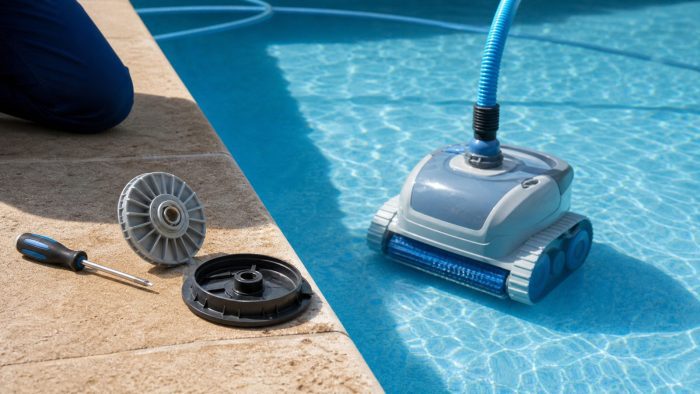
For cleaners with a turbine (like the Hayward PoolVac), remove the bottom cover and inspect the turbine blades. Debris wrapped around the turbine shaft is a common culprit. Hair, string, and rubber bands love to wrap around these parts.
Step 3: Examine the Diaphragm or Flapper
Most suction cleaners use either a diaphragm or flapper mechanism to create movement. These rubber parts wear out over time — typically every 2-3 years with regular use.
Signs of a worn diaphragm:
– Cleaner moves sluggishly
– No “pulsing” motion when running
– Visible cracks or tears in the rubber
– Diaphragm feels stiff instead of flexible
Replacement diaphragms cost between $15-40 depending on your model. The Zodiac MX Diaphragm Kit is one of the most commonly needed replacements and includes all the parts for a complete refresh.
Step 4: Test Your Pump’s Suction Power
Your cleaner needs adequate suction to move. If your pump is struggling, the cleaner will too.
Quick suction test:
- Remove the cleaner from the hose
- Hold the hose underwater near the return jets (with the pump running)
- Place your palm over the hose opening
- You should feel strong suction that’s difficult to break
If suction feels weak, check your pump basket and skimmer basket for debris. A clogged basket can reduce suction by 50% or more. Also check your filter — a dirty cartridge, D.E. grid, or sand filter can choke your flow rate.
Step 5: Look for Air Leaks
Air leaks kill suction power. If you see bubbles coming from your return jets, air is entering the system somewhere.
Common air leak sources:
– Cracked pump lid
– Worn pump lid O-ring
– Loose hose connections
– Cracked hose sections
Replace any cracked hoses immediately. A good quality pump lid O-ring costs under $10 and takes 5 minutes to install.
How to Fix a Pressure-Side Pool Vacuum That Won’t Move
Pressure-side cleaners like the Polaris 280 or 380 are a bit more complex, but most problems still have simple solutions.
Step 1: Empty and Clean the Filter Bag
This seems obvious, but I can’t tell you how many service calls I’ve heard about where a full filter bag was the entire problem. When the bag fills up, water can’t exit fast enough, and the cleaner loses propulsion.
Empty the bag when it’s about two-thirds full — don’t wait until it’s packed solid. Rinse it with a hose after each use to prevent fine debris from clogging the mesh.
If your bag has holes or the zipper is broken, it’s time for a replacement. A worn bag lets debris escape back into your pool and can throw off the cleaner’s balance.
Step 2: Inspect the Wheels and Tires
Flip your Polaris over and check all the wheels. They should spin freely without wobbling. The tires should have visible tread — if they’re smooth like a bald car tire, they can’t grip the pool surface.
Common wheel issues:
– Wheels locked up from debris in the axle
– Worn bearings causing excessive wobble
– Tires with no remaining tread (typically lasts 1-2 seasons)
The Polaris 280/380 Wheel Kit includes everything you need to replace worn wheels, including new bearings and tires.
Step 3: Check the Backup Valve
The backup valve is that little gadget attached to your Polaris hose that shoots water periodically. It’s designed to free the cleaner when it gets stuck in corners.
If the backup valve isn’t firing, your cleaner might get stuck and appear to not move. Watch the valve for 2-3 minutes — it should shoot water every 3-4 minutes.
To test it:
1. Hold the valve underwater
2. Watch for water to spray out forcefully
3. If nothing happens, the valve may need cleaning or replacement
You can disassemble most backup valves for cleaning. Mineral buildup often clogs the internal mechanism.
Step 4: Verify Booster Pump Operation
Many Polaris cleaners require a dedicated booster pump. If this pump isn’t running or has lost pressure, your cleaner won’t move.
Check that the booster pump:
– Is actually turning on (listen for the motor)
– Isn’t making grinding noises
– Has good flow coming from the wall fitting
Test the water pressure at the wall fitting by disconnecting the hose and measuring flow. You should see a strong stream shooting 15-20 feet. If flow is weak, your booster pump may need servicing.
Step 5: Examine the Feed Hose for Kinks
Pressure-side cleaners need consistent water flow through the hose. A kinked or twisted hose restricts this flow and causes erratic movement or complete stalling.
Float the entire hose on the surface and look for:
– Sharp bends or kinks
– Crushed sections
– Connections that are pulling apart
– Swivels that don’t rotate freely
Replace any damaged hose sections. And make sure you have the correct number of hose sections for your pool size — too many can reduce pressure, too few can limit coverage.
How to Fix a Robotic Pool Vacuum That Won’t Move
Robotic cleaners are the most sophisticated type, but that doesn’t mean troubleshooting requires an engineering degree.
Step 1: Clean the Filter Cartridges
Robotic vacuums have internal filters that need regular cleaning. A clogged filter restricts water flow through the unit, which triggers safety shutoffs in some models.
Remove the filter cartridge (location varies by model) and rinse it thoroughly with a garden hose. For stubborn debris, soak the cartridge in a solution of water and filter cleaner for 24 hours.
Most manufacturers recommend replacing filter cartridges annually, even with regular cleaning. Fine particles eventually embed in the filter media and can’t be washed out.
Step 2: Check the Drive Tracks or Wheels
Turn your robotic cleaner over and inspect the drive system. Most units use either rubber tracks (like a tank) or wheels.
For tracked models:
– Check track tension — it should be snug but able to move
– Look for debris wrapped around the drive sprockets
– Inspect for cracks or tears in the track material
For wheeled models:
– Spin each wheel by hand — they should rotate freely
– Check for hair wrapped around wheel axles
– Look for worn-down tread
The Dolphin Nautilus CC Plus is one of the most reliable robotic cleaners on the market, but even top-tier models need track replacements every 3-5 years depending on use.
Step 3: Inspect the Power Cable
A damaged power cord can prevent your robotic cleaner from receiving full power. Look for:
– Cuts or nicks in the outer insulation
– Kinks that may have damaged internal wires
– Corrosion on the connector pins
– Tangles that could restrict movement
If your cable is excessively twisted, it can prevent the cleaner from moving freely. Some robotic cleaners have swivel cables to prevent this — if yours doesn’t, manually untwist the cable before each use.
Step 4: Reset the Unit
Sometimes robotic cleaners just need a good reset. Here’s how:
- Remove the cleaner from the pool
- Turn off the power supply
- Unplug the power supply from the outlet
- Wait 30 seconds
- Plug everything back in
- Turn on the power supply
- Place the cleaner back in the pool
This simple reset clears any software glitches and often restores normal operation.
Step 5: Test the Motors
If nothing else works, you may have a motor issue. Most robotic cleaners have two drive motors (one for each side) and a pump motor.
You can perform a basic test by:
1. Lifting the cleaner out of the water while running
2. Watching if the tracks/wheels spin
3. Listening for any grinding or clicking sounds
If one side spins and the other doesn’t, you’ve identified a failed drive motor. If neither side moves but you hear motor noise, the gearbox may be damaged. Both repairs typically cost $100-200 in parts if you do it yourself, or $200-400 with professional labor.
Preventive Maintenance: Keep Your Pool Vacuum Moving
The best fix is preventing problems in the first place. Here’s a simple maintenance schedule:
Weekly Tasks
- Empty debris bags/canisters after each use
- Rinse filter cartridges or bags
- Check hose connections for tightness
- Remove any visible debris from wheels/tracks
Monthly Tasks
- Inspect all moving parts for wear
- Clean the pump basket and skimmer basket
- Check filter pressure (add 8-10 psi from clean pressure = time to clean)
- Test suction/pressure levels
Seasonal Tasks
- Replace worn tires, tracks, or wheels
- Change diaphragms or flappers if showing wear
- Deep clean filter cartridges with chemical soak
- Inspect all hoses for cracks or damage
- Lubricate O-rings with silicone lubricant
Following this schedule extends your vacuum’s lifespan by 2-3 years and dramatically reduces surprise breakdowns.
When to Call a Professional
Some problems genuinely require professional help. Consider calling a pool technician if:
- Your pump motor is making grinding noises
- You’ve replaced parts but the problem persists
- There’s visible damage to electrical components (robotic cleaners)
- Water is leaking from your pump housing
- You’re not comfortable working with pool equipment
A diagnostic service call typically costs $75-150 and can save you from buying parts you don’t need.
FAQ
Why does my pool vacuum move but won’t climb walls?
Wall climbing requires strong suction (for suction cleaners) or specific thrust angles (for pressure and robotic cleaners). Check that your suction is at full strength, your filter isn’t dirty, and the pool walls are smooth. Textured or extremely slippery surfaces can prevent climbing. Also verify your cleaner is designed for wall climbing — some budget models only clean the floor.
How long should a pool vacuum last?
Suction-side cleaners typically last 5-7 years with proper maintenance. Pressure-side cleaners last 7-10 years. Robotic cleaners average 5-8 years, though the motors can fail sooner if overworked. Replacing wear parts annually (diaphragms, tires, filters) extends lifespan significantly.
Can I run my pool vacuum with a variable speed pump?
Yes, but suction-side cleaners need adequate pump speed to function. Most require your pump to run at 2,000-2,500 RPM minimum. If your variable speed pump runs at lower speeds for efficiency, program it to increase speed during cleaner operation. Check your cleaner’s manual for specific flow rate requirements — typically 30-40 GPM.
My Polaris floats instead of sinking — how do I fix that?
Air is trapped inside the cleaner. Submerge the unit completely and tip it at different angles to release air bubbles. Check the head float for cracks — if water has entered the float, it’ll be too heavy on top and the unit won’t position correctly. Also verify your backup valve isn’t stuck in the “on” position, which can cause erratic behavior.
How often should I run my automatic pool vacuum?
Most pools need 2-4 hours of vacuum time daily, depending on debris load and pool size. A 15,000-gallon pool with moderate tree coverage typically does well with 3 hours per day. Run the vacuum during your normal pump cycle for maximum efficiency with suction-side models.
Get Your Pool Chemistry Right, Too
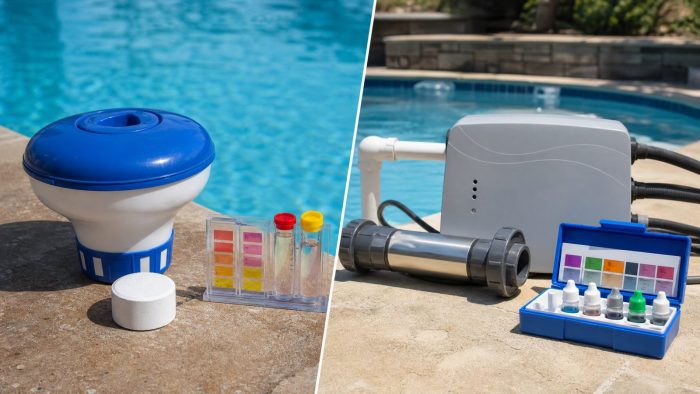
A clean pool isn’t just about removing debris — water chemistry matters just as much. Unbalanced water can cause cloudy conditions that make your vacuum work harder and wear out faster.
Use Pool Chemical Calculator to calculate exactly how much chlorine, pH adjuster, alkalinity increaser, calcium hardness increaser, stabilizer, salt, or other chemicals your pool needs. Just enter your pool size and current readings, and you’ll get precise dosing instructions in seconds. No more guessing or dumping in random amounts.
???? iPhone / iPad: https://itunes.apple.com/us/app/pool-chem-calculator/id1453351222
???? Android: https://play.google.com/store/apps/details?id=com.poolchemicalcalculator.poolcalc
???? Full guide: https://poolchemicalcalculator.com/news/pool-vacuum-wont-move/
As an Amazon Associate, Pool Chemical Calculator earns from qualifying purchases. Saves manual cleaning time and helps keep floors and walls cleaner between service visits. Raises calcium hardness to reduce corrosive water risk in plaster, concrete, and equipment. A clean cartridge improves circulation and helps cloudy water clear faster.Recommended pool supplies


Get exact pool chemical doses
Pool Chemical Calculator turns your test readings, pool volume, and target levels into exact treatment amounts for chlorine, pH, alkalinity, calcium, stabilizer, salt, and more.
Open the Pool Chemical Calculator app or download it from the App Store and Google Play.