
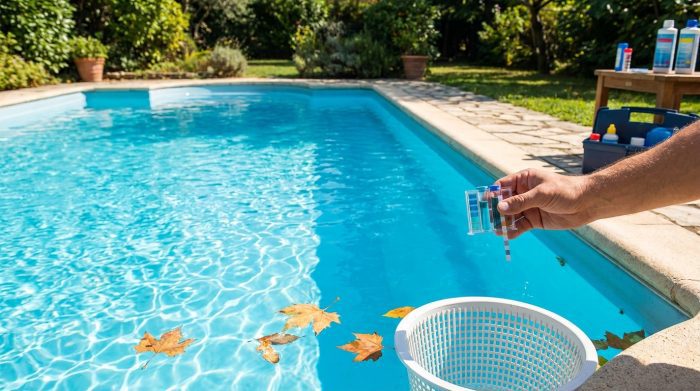
How to Lower Phosphates in Pool Water and Stop Algae From Taking Over
You’ve been doing everything right. Chlorine levels are perfect, pH is balanced, and you’re running your filter religiously. But somehow, your pool still looks a little cloudy, or you’re fighting algae blooms that just won’t quit. The culprit? There’s a good chance you need to learn how to lower phosphates in pool water — because these invisible nutrients might be feeding algae behind the scenes, sabotaging your hard work.
Quick answer
How to Lower Phosphates in Pool Water and Stop Algae From Taking Over: You’ve been doing everything right. Chlorine levels are perfect, pH is balanced, and you’re running your filter religiously. But somehow, your pool still looks a little cloudy, or you’re fighting algae blooms that just.
Phosphates are like fertilizer for algae. And just like you wouldn’t dump Miracle-Gro into your pool, you don’t want phosphate levels climbing unchecked. The good news? Lowering phosphates isn’t complicated once you understand what you’re dealing with. I’ve helped hundreds of pool owners tackle this exact problem, and I’m going to walk you through everything — from testing to treatment to prevention.
What Are Phosphates and Why Should You Care?
Phosphates are phosphorus-based compounds that find their way into your pool from dozens of sources. They’re natural, they’re everywhere, and in small amounts, they won’t ruin your summer. But here’s the problem: phosphates are the number one food source for algae.
Think of it this way. Your chlorine is like a bouncer at a club, keeping the algae riffraff out. Phosphates are like leaving free pizza at the door — suddenly every troublemaker in town shows up, and your bouncer gets overwhelmed.
Where Do Phosphates Come From?
You’d be surprised at how many sources dump phosphates into your pool:
- Lawn fertilizers — This is the big one. Rain washes fertilizer runoff directly into your pool. Just 1 pound of fertilizer can contain enough phosphorus to spike levels in a 15,000-gallon pool.
- Leaves and debris — Decomposing organic matter releases phosphates. That beautiful oak tree shading your pool? It’s feeding algae every time leaves sink to the bottom.
- Tap water — Many municipal water supplies contain 100-300 ppb (parts per billion) of phosphates. Fill your pool or top it off regularly, and it adds up fast.
- Swimmers themselves — Sweat, sunscreen, body oils, and cosmetics all contain phosphates. A busy pool party can add measurable amounts.
- Some pool chemicals — Certain metal sequestrants and scale inhibitors contain phosphonic acid, which breaks down into phosphates.
- Landscaping dirt — Soil tracked in by swimmers or blown in by wind contains natural phosphorus.
What Phosphate Level Is Too High?
Here’s where pool owners get confused because there’s no universal “dangerous” threshold. But these guidelines work for most pools:
| Phosphate Level (ppb) | What It Means | Action Needed |
|---|---|---|
| 0-100 ppb | Excellent | No treatment necessary |
| 100-300 ppb | Acceptable | Monitor closely |
| 300-500 ppb | Elevated | Consider treatment |
| 500-1000 ppb | High | Treatment recommended |
| 1000+ ppb | Very High | Treat immediately |
Important note: Phosphates themselves don’t make water unsafe for swimming. They don’t affect pH, they don’t irritate skin, and they won’t damage equipment. The only reason to worry about them is algae growth. If your chlorine stays consistent and you never have algae issues, moderately elevated phosphates aren’t an emergency.
But if you’re constantly battling green water despite perfect chlorine levels? Phosphates are almost certainly part of the equation.
How to Test Phosphate Levels in Your Pool
You can’t fix what you can’t measure. And unlike chlorine or pH, phosphate testing requires a specific kit — your standard 4-way test strips won’t cut it.
Testing Options
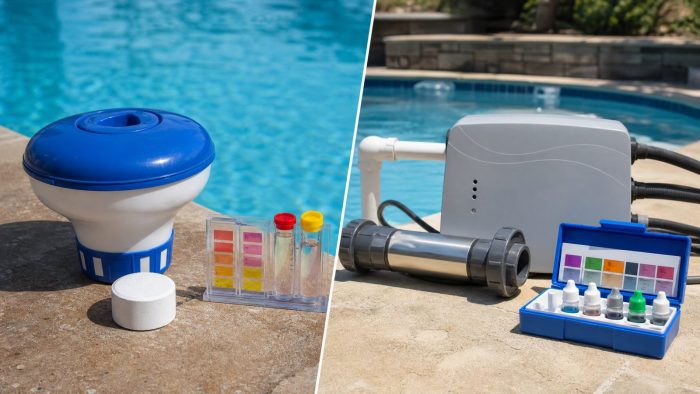
Option 1: Phosphate Test Kit
A dedicated phosphate test kit costs between $15-30 and gives you reliable readings. I recommend the LaMotte ColorQ Pro 7 Digital Pool Water Test Kit for accurate phosphate testing alongside all your other chemistry needs. Digital readers eliminate the guesswork of matching colors.
Option 2: Pool Store Testing
Most pool supply stores offer free water testing that includes phosphates. Bring in a sample, and they’ll give you exact numbers within minutes. This is great for occasional checks, but you’ll want your own kit for ongoing monitoring.
Option 3: Test Strips
Phosphate-specific test strips exist and cost less than liquid kits. They’re less precise but perfectly adequate for detecting whether you have a problem. Accuracy within 100 ppb is fine for most homeowners.
How Often to Test
Test phosphates monthly during swimming season. Test immediately if:
- You’ve had recent heavy rain (especially if you have a fertilized lawn nearby)
- Algae appears despite proper chlorine levels
- You’ve just filled or significantly topped off your pool
- You notice increased chlorine demand (using more sanitizer than usual)
Step-by-Step: How to Lower Phosphates in Your Pool
Alright, you’ve tested and confirmed high phosphates. Now let’s fix it. The process takes 24-48 hours for most pools, and you’ll need one key product: phosphate remover.
What You’ll Need
- Phosphate remover (I’ll recommend specific products below)
- Phosphate test kit
- Pool brush
- Your filter running and clean
- Patience (seriously, this takes time)
Step 1: Test and Record Your Starting Level
Write down your exact phosphate reading. This matters because phosphate remover dosing depends on how much you need to reduce. A pool at 2000 ppb needs a different approach than one at 500 ppb.
Step 2: Clean Your Pool First
Before adding any chemicals, give your pool a thorough cleaning:
- Brush the walls and floor to dislodge any algae or biofilm
- Skim all floating debris
- Vacuum or run your automatic cleaner
- Empty your skimmer baskets
- Backwash or clean your filter
Why? Phosphate remover works by binding to phosphates and making them filterable. If your filter is already clogged or your pool is full of debris, you’re fighting an uphill battle.
Step 3: Balance Your Other Chemistry
Phosphate removers work best when basic chemistry is in range:
- pH: 7.2-7.6
- Chlorine: 1-3 ppm (can be slightly higher)
- Alkalinity: 80-120 ppm
Don’t stress about perfection. But if your pH is at 8.2 or your chlorine is at zero, fix those issues first.
Step 4: Choose Your Phosphate Remover
Two main types exist:
Lanthanum-based removers — These use rare earth metals to bind phosphates. They’re highly effective but cause temporary cloudiness as they work. The cloudiness clears as your filter removes the bound phosphates. Natural Chemistry PHOSfree is a popular choice that treats 8,000 gallons per 32 oz bottle for phosphate levels up to 900 ppb.
Enzyme-based removers — These break down organic phosphates more gradually and don’t cloud the water. They’re better for maintenance than for treating severe problems.
For levels above 1000 ppb, lanthanum-based products work faster and more reliably.
Step 5: Calculate Your Dose
Every phosphate remover has different concentration levels, so always read the label. But here’s a typical example:
For most lanthanum-based removers, you’ll add roughly 16-32 oz per 10,000 gallons to reduce phosphates by 1000 ppb.
Example calculation:
– Your pool: 20,000 gallons
– Current phosphates: 1800 ppb
– Target: Under 200 ppb
– Reduction needed: 1600 ppb
– Approximate dose: 48-64 oz for this treatment
When in doubt, start with the lower recommended dose. You can always add more, but you can’t take it out.
Step 6: Apply the Remover Correctly
This part matters more than most people realize:
- Run your pump — Filter must be circulating during application
- Add slowly — Pour the remover around the pool’s perimeter, not all in one spot
- Brush after adding — Help distribute the product
- Keep the pump running — Run it continuously for at least 24 hours
Step 7: Expect Cloudiness
Within hours of adding a lanthanum-based remover, your pool will turn milky white or cloudy gray. Don’t panic. This is normal and means the product is working. The cloudiness represents phosphates being bound into filterable particles.
The cloudiness typically clears within 24-48 hours as your filter removes the particles.
Step 8: Clean Your Filter Again
Here’s what most people miss: those bound phosphate particles clog your filter fast. After 24-48 hours, clean your filter thoroughly:
- Cartridge filters: Remove and hose off completely
- Sand filters: Backwash for 3-5 minutes
- DE filters: Backwash and add fresh DE
You may need to clean your filter twice during this process if cloudiness persists.
Step 9: Retest and Repeat if Necessary
After 48 hours and a filter cleaning, test phosphates again. If levels are still above 300 ppb, repeat the treatment. Very high phosphate levels (2000+ ppb) often require 2-3 treatment rounds to fully address.
What If Phosphate Remover Isn’t Working?
Sometimes people follow all the steps and still have high readings. Here’s what might be happening:
Your Filter Isn’t Doing Its Job
Phosphate remover doesn’t destroy phosphates — it makes them filterable. If your filter media is worn out, oversized for your pump, or simply damaged, those particles stay suspended. Replace filter cartridges that are more than 2 years old. Replace sand that’s more than 5 years old.
You’re Adding Phosphates Faster Than Removing Them
If you treat your pool but have constant phosphate sources (like a well with high phosphates or heavy fertilizer use nearby), you’re fighting a losing battle. Address the source alongside treatment.
You’re Using a Low-Quality Product
Some cheaper phosphate removers simply don’t work well. Stick with established brands from pool supply stores rather than generic options from big-box stores.
You Didn’t Use Enough Product
Severe phosphate problems require aggressive treatment. If the label says 32 oz per 10,000 gallons and your pool has 3000+ ppb phosphates, one dose won’t cut it. Plan for multiple treatments.
Preventing Phosphates From Coming Back
Treating high phosphates is annoying. Preventing them from getting high in the first place? Much easier.
Landscaping Changes
- Use low-phosphorus fertilizers on your lawn (look for the middle number in the N-P-K ratio — lower is better)
- Create a buffer zone between fertilized lawn and pool
- Trim back overhanging trees that drop leaves
- Consider pool-friendly landscaping with less fertilizer demand
Swimming Habits
- Encourage swimmers to rinse off before entering (a quick shower removes oils and residue)
- Limit excessive sunscreen application right before swimming
- Shower after using lotions, cosmetics, or body products
Regular Maintenance
- Skim and brush weekly to remove debris before it decomposes
- Run your filter adequate hours daily (typically 8-12 hours)
- Clean your filter monthly during peak season
- Use a phosphate maintenance product every 1-2 weeks at preventive doses
Consider a Phosphate-Removing Filter Cartridge
Products like the Phos-X Phosphate Remover Pouch sit in your skimmer basket and continuously remove phosphates as water flows through. They won’t handle a severe phosphate problem, but they’re excellent for ongoing prevention.
The Phosphate Debate: Do You Even Need to Worry?
I want to be honest with you. Some pool professionals argue that obsessing over phosphates is unnecessary. Their reasoning: if you maintain proper chlorine levels (1-3 ppm consistently), algae can’t grow regardless of phosphate levels.
They’re not wrong. Chlorine does kill algae before phosphates matter — in theory.
But here’s what I’ve seen in practice. Homeowners don’t maintain perfect chlorine 24/7. You go on vacation, your chlorinator runs low, a rainstorm dilutes your sanitizer. During those vulnerable moments, high phosphate levels let algae explode faster than low-phosphate pools.
My recommendation: aim for under 300 ppb. You don’t need to obsess over zero, but keeping phosphates low adds a margin of safety. It’s cheap insurance against the algae bloom that ruins your weekend.
FAQs About Lowering Pool Phosphates
Can I swim while treating phosphates?
Yes, but wait until cloudiness clears if possible. Lanthanum-based removers are non-toxic, but cloudy water limits visibility — a safety concern, especially for children. Most pools clear within 24-48 hours after treatment.
How long does it take for phosphate remover to work?
Initial binding happens within hours, but complete removal takes 24-48 hours with continuous filtration. Clean your filter halfway through for best results. Severe cases (1500+ ppb) may require a second treatment cycle after 48 hours.
Do phosphates cause algae by themselves?
Phosphates don’t directly cause algae — they feed existing algae and help it grow faster when chlorine drops. A pool with zero phosphates can still get algae if chlorine disappears. And a pool with high phosphates may stay clear indefinitely with perfect chlorine levels. But lowering phosphates makes your sanitizer’s job easier.
Will shocking my pool remove phosphates?
No. Shock oxidizes organic compounds and kills algae, but it doesn’t remove phosphates. You need a dedicated phosphate remover. However, shocking IS necessary if you already have algae — kill the algae first with shock, then address phosphates afterward.
How often should I add phosphate remover?
For maintenance, add a preventive dose every 2-4 weeks during swimming season. This is usually 4-8 oz per 10,000 gallons — much less than a treatment dose. Test monthly to confirm levels stay under 300 ppb.
Your Clear Pool Awaits
Phosphates are one of those sneaky problems that frustrate pool owners for weeks before they identify the culprit. But now you know exactly what to look for and how to fix it.
Quick recap: Test your phosphates monthly. If levels exceed 300 ppb, treat with a lanthanum-based remover, run your filter continuously, clean the filter afterward, and retest. Keep phosphates low going forward with regular maintenance and smart landscaping.
Need help getting pool chemistry back under control after a phosphate or algae cleanup? Use Pool Chemical Calculator for instant dosing calculations based on your exact pool volume and current chemistry readings. The app helps you calculate chlorine, pH, alkalinity, calcium hardness, stabilizer, salt, and more — without guessing.
???? iPhone / iPad: https://itunes.apple.com/us/app/pool-chem-calculator/id1453351222
???? Android: https://play.google.com/store/apps/details?id=com.poolchemicalcalculator.poolcalc
???? Full guide: https://poolchemicalcalculator.com/news/how-to-lower-phosphates-in-pool/
As an Amazon Associate, Pool Chemical Calculator earns from qualifying purchases. A clean cartridge improves circulation and helps cloudy water clear faster. Accurate readings make every chlorine, pH, alkalinity, calcium, and CYA dose safer. Useful for algae cleanup, cloudy water, high bather load, and weekly oxidation routines.
Recommended pool supplies


Get exact pool chemical doses
Pool Chemical Calculator turns your test readings, pool volume, and target levels into exact treatment amounts for chlorine, pH, alkalinity, calcium, stabilizer, salt, and more.
Open the Pool Chemical Calculator app or download it from the App Store and Google Play.