
Digital Pool Timer Troubleshooting: Fix Common Problems Without Calling for Help
Your digital pool timer keeps your pump running on schedule, your chlorinator working, and your energy bills predictable. So when it stops working — blank screen, lost programs, mysterious clicking — your entire pool maintenance routine falls apart. Digital pool timer troubleshooting doesn’t require an electrician for most problems. Many issues have simple fixes you can handle in 10 minutes with basic tools.
Quick answer
Digital Pool Timer Troubleshooting: Fix Common Problems Without Calling for Help: Your digital pool timer keeps your pump running on schedule, your chlorinator working, and your energy bills predictable. So when it stops working — blank screen, lost programs, mysterious clicking — your entire pool.
Quick Answer
Most digital pool timer problems fall into 7 categories:
- Blank display → Dead backup battery or tripped breaker (replace CR2032 battery, $3 fix)
- Lost programming → Failed battery backup; reprogram after replacing battery
- Relay clicks but pump won’t start → Bad relay, loose wiring, or pump capacitor failure
- GFCI/breaker trips → Water intrusion, overloaded circuit, or failing pump motor
- Wrong run times → Corrupted freeze-protect sensor or daylight saving setting
- Wi-Fi/app won’t connect → Router issues, firmware updates needed, or weak signal
- Random behavior → Power surges damaged the timer’s circuit board
⚠️ ELECTRICAL SAFETY WARNING: Pool timers run on 120V or 240V — either can kill you. Always shut off the breaker before opening your timer enclosure. If you see burned terminals, melted wires, or smell burning plastic, stop immediately and call a licensed electrician. Same goes for repeated breaker trips or any situation where you feel uncertain.
Step-by-Step Digital Pool Timer Troubleshooting Guide
Follow these steps in order. Each builds on the previous one, helping you identify your specific problem.
Step 1: Check Your Breaker Panel First
Before touching the timer, walk to your electrical panel. Look for the breaker labeled “Pool,” “Pool Pump,” or “Pool Timer.”
What you’re checking:
- Is the breaker tripped (sitting in the middle position)?
- Is a GFCI outlet tripped somewhere in the circuit?
If the breaker is tripped: Reset it by pushing it fully OFF, then ON. If it trips again immediately, you have a serious problem — call an electrician.
If the breaker looks fine: The issue is likely in the timer itself. Proceed to Step 2.
Step 2: Inspect the Timer Display
With power confirmed at the breaker, look at your timer’s display.
Blank display possibilities:
| Symptom | Likely Cause | Fix |
|———|————–|—–|
| Completely dark | No power reaching timer | Check breaker, wiring, GFCI |
| Display shows wrong time | Dead backup battery | Replace battery |
| Display flickers | Loose connection or dying battery | Tighten terminals, replace battery |
| Shows error code | Varies by brand | Check your manual |
Most digital pool timers use a CR2032 coin battery for memory backup. When this battery dies (typically every 2-3 years), the timer loses its programming whenever main power blips — even for a second during a storm.
Step 3: Replace the Backup Battery
Turn off the breaker first. This is non-negotiable.
Open your timer enclosure. The battery is usually on the circuit board behind a small plastic cover or clip. Note the orientation (+ side up in most models), remove the old battery, and insert a fresh CR2032.
For Intermatic timers, you can find the correct replacement battery on Amazon.
After replacing:
- Restore power at the breaker
- Set the current time and day
- Reprogram your pump schedule (typically 8-12 hours daily during summer)
Need help calculating run time? Your pump should turn over your pool’s entire volume 1-2 times daily. Use our pool volume calculator to know exactly how many gallons you’re working with.
Step 4: Diagnose “Relay Clicks But Pump Won’t Start”
This is frustrating. You hear the timer click at the programmed time, but nothing happens. The relay (the mechanical switch inside the timer) is engaging, but power isn’t reaching your pump.
Troubleshooting sequence:
- Verify voltage is leaving the timer. With the timer in “ON” or manual mode, use a non-contact voltage tester to confirm power at the load terminals. If no voltage, the relay contacts are likely burned.
- Check the pump directly. If voltage leaves the timer but the pump doesn’t run, the problem is downstream — potentially the pump capacitor, motor, or wiring between timer and pump.
- Listen carefully. A humming pump that won’t start usually means a bad capacitor. A silent pump with confirmed voltage means motor failure.
Important: If you need to test actual voltage readings, a digital multimeter is essential. But only use it if you’re comfortable around live electrical circuits. Otherwise, this is where you call a pro.
Step 5: Address GFCI and Breaker Trips
Repeated trips aren’t random — something is wrong. Your electrical system is protecting you.
Common causes:
- Water in the timer enclosure. Check for cracked housings, missing knockouts, or deteriorated gaskets. A weatherproof timer enclosure can solve ongoing moisture problems.
- Overloaded circuit. If your pump, chlorinator, heater, and lights all share one circuit, you may be drawing more amps than the breaker allows.
- Pump motor failing. Aging motors draw excess current as windings degrade. This often trips breakers before the motor fully dies.
- Ground fault in the pump. Water intrusion into the pump motor housing creates a ground fault that trips GFCI protection.
When trips happen:
- Immediately upon starting the pump → Likely pump motor issue
- After 5-20 minutes of running → Possible overheating or overload
- Only during rain → Water intrusion somewhere in the system
- Random times → Could be the GFCI outlet itself failing
Step 6: Fix Freeze Protection and Sensor Issues
Most digital timers have a freeze-protect feature that runs your pump when temperatures drop below 36-38°F. This prevents frozen pipes. But when the sensor fails or gets confused, weird things happen.
Symptoms of sensor problems:
- Pump runs continuously in mild weather (60°F+)
- Pump never runs during actual cold snaps
- Timer displays impossible temperature readings
Fixes:
- Locate the freeze sensor (usually a small probe on a wire coming from the timer)
- Check that it’s positioned correctly — not in direct sunlight or touching metal
- Clean any corrosion from the sensor connection
- Test by warming it in your hand — the timer display should show rising temperature
If the sensor is damaged, you’ll need a replacement specific to your timer brand. Intermatic, Hayward, and Pentair all use different sensors.
Step 7: Troubleshoot Wi-Fi and Smart Timer Issues
Smart pool timers are convenient until they disconnect. Here’s how to get them back online.
Basic connectivity fixes:
- Power cycle the timer. Turn off the breaker for 30 seconds, then restore power.
- Restart your router. Unplug it for 60 seconds. Many connection issues are router-side.
- Check signal strength. Most pool equipment sits far from your router. If you’re getting less than 2 bars at the timer location, consider a Wi-Fi extender.
- Update the app. Outdated apps lose compatibility with manufacturer servers.
- Check for firmware updates. Many smart timers update firmware through the app.
If you changed your Wi-Fi password: You’ll need to put the timer back into setup mode (usually by holding a button for 10+ seconds) and reconnect from scratch.
After getting your timer working, use our pool chemistry app to track water balance. Knowing your pump run schedule helps predict chemical demand, especially if you use the weather forecast feature to anticipate rain dilution or hot days.
When to Call a Licensed Electrician
Some problems are DIY. Others will get you hurt or killed. Call a professional when you see:
- Burned, melted, or discolored wires/terminals
- Breaker trips repeatedly after reset
- Burning smell from timer or pump
- Scorch marks inside the enclosure
- Water actively dripping on electrical components
- You need to add circuits, upgrade breakers, or run new wiring
- Any situation where you’re not 100% confident
The average electrician service call costs $150-300. That’s cheap compared to electrocution or a house fire.
Preventive Maintenance: Stop Problems Before They Start
Monthly:
- Visually inspect the timer enclosure for wasp nests, water intrusion, or corrosion
- Confirm the pump is actually running during programmed times
Seasonally:
- Clean the enclosure interior with a dry cloth
- Check that all wire connections are tight (breaker OFF first)
- Verify freeze protection activates — test in fall before first cold snap
Every 2 years:
- Replace the backup battery proactively
- Check the enclosure gasket and replace if cracked
FAQ
Why does my pool timer lose its programming after a power outage?
The backup battery is dead. Digital timers use a small CR2032 coin battery to maintain memory during power loss. These batteries last 2-4 years. When they die, even a 1-second power blip erases everything. Replace the battery and reprogram your schedule. Takes about 5 minutes.
Can I run my pool pump manually if my timer is broken?
Yes, but carefully. Most timers have a manual “ON” override switch or button. Use this temporarily while you troubleshoot or wait for parts. Just don’t forget about it — running your pump 24/7 wastes $50-100+ per month in electricity. Set a phone alarm to remind you to turn it off.
How do I know if my pool timer relay is bad?
You’ll hear clicking at the programmed on/off times, but the pump won’t respond. With a multimeter, you can test whether voltage passes through the relay when it clicks. If the relay clicks but no voltage reaches the load terminals, the relay contacts are burned out. Timer replacement is usually more practical than relay-only repair.
Why does my timer show the wrong time after I set it correctly?
Three possibilities: dead backup battery (most common), power interruption resetting the clock, or a failing internal oscillator. Replace the battery first. If the problem continues, the timer’s internal clock circuit may be damaged — time for a replacement.
My smart pool timer worked for months but now won’t connect to the app. What happened?
Check these in order: router restart, app update, timer power cycle. If none work, your router may have assigned the timer a new IP address that conflicts with something. Delete the timer from the app entirely and re-add it through the setup process. Also check if your internet provider changed anything — some mesh router updates break smart device connections.
Keep Your Pool Running Smoothly
A working timer is just one piece of pool maintenance. Now that yours is back in action, make sure your chemistry stays balanced too. Track chlorine, pH, and alkalinity with our free pool chemistry calculator — it tells you exactly what to add and how much, based on your pool’s actual volume.
Recommended pool supplies
As an Amazon Associate, Pool Chemical Calculator earns from qualifying purchases.
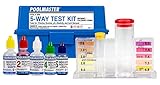
Accurate readings make every chlorine, pH, alkalinity, calcium, and CYA dose safer.
View on Amazon
Raises total alkalinity so pH is less likely to bounce around after treatment.
View on Amazon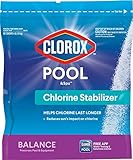
Protects chlorine from sunlight, especially in outdoor pools with low stabilizer.
View on AmazonGet exact pool chemical doses
Pool Chemical Calculator turns your test readings, pool volume, and target levels into exact treatment amounts for chlorine, pH, alkalinity, calcium, stabilizer, salt, and more.
Open the Pool Chemical Calculator app for iOS, Android, or web.