
Mechanical Pool Timer Troubleshooting: Fix Your Timer Before Calling a Pro
Step-by-Step Troubleshooting Guide
Step 1: Check If the Timer Dial Is Rotating
Open your timer box and look at the dial. Note the position of the hour marker. Come back in 30 minutes and check again.
Quick answer
Mechanical Pool Timer Troubleshooting: Fix Your Timer Before Calling a Pro: Step-by-Step Troubleshooting Guide Step 1: Check If the Timer Dial Is Rotating Open your timer box and look at the dial. Note the position of the hour marker. Come back in 30 minutes and check again. If the dial moved.
If the dial moved: Your timer motor works. Skip to Step 3.
If the dial hasn’t moved: Your timer motor is likely dead. But before you order a replacement, try this: gently push the dial with your finger. Does it rotate freely, or does it feel stuck?
- Stuck dial: Something is jamming the gears. Look for debris, insect nests (wasps love timer boxes), or a tripper that’s wedged against the housing.
- Free-spinning dial: The motor has failed. The dial should have slight resistance from the motor gear — if it spins like a top, there’s no connection.
Step 2: Test the Timer Motor
If you suspect a dead motor, here’s how to confirm it. You’ll need a multimeter for this step.
- Turn off the breaker feeding your timer
- Remove the timer mechanism from the box (usually 2-4 screws)
- Locate the motor — it’s the small cylinder attached to the back of the dial
- Set your multimeter to AC voltage
- Turn the breaker back on (careful — live wires now)
- Touch probes to the motor wire terminals
- You should read between 110-125V AC
If you get voltage but the motor doesn’t run: Motor is dead. Replace it.
If you get no voltage: The problem is upstream — either the breaker, wiring, or the timer’s internal connections. Time to call an electrician.
For Intermatic T104 timers (the most common brand), the replacement motor is the Intermatic WG1570-10D. It’s a direct swap — remove two screws, pull the old motor, insert the new one.
Step 3: Inspect the Trippers
Trippers are those little plastic tabs around the dial’s edge. They should click firmly into position and stick out about ¼ inch from the dial face.
Common tripper problems:
- Missing trippers: They break off and fall into the timer box. Check the bottom of the enclosure.
- Loose trippers: They should snap firmly into the dial slots. Wobbly trippers slide past the switch without engaging.
- Wrong position: Each tripper has an ON side and an OFF side, usually marked with arrows. Installed backward, they’ll do the opposite of what you want.
The fix: Replace worn trippers with a fresh set. A tripper replacement kit costs around $8 and includes enough tabs for years of use. These are the most commonly replaced part on mechanical timers.
Step 4: Test the Switch Mechanism
Your dial rotates. Your trippers look fine. But the pump still won’t start. Now we’re looking at the switch.
Manually rotate the dial until an ON tripper pushes the switch lever. You should hear a solid “click” and see the lever move decisively. If the lever moves but nothing happens, the switch contacts may be burned.
Visual inspection: Look at the switch contacts (the metal pieces that touch when the lever moves). Healthy contacts look shiny. Bad contacts look black, pitted, or have visible burn marks.
For minor corrosion: You can clean contacts with fine sandpaper (400 grit) or a contact cleaner spray. This buys time but isn’t a permanent fix.
For burned or pitted contacts: Replace the entire timer mechanism. Once contacts start arcing, they deteriorate quickly.
Step 5: Verify the Clock Keeps Accurate Time
Set your timer to the correct time (there’s usually a manual dial you can rotate). Check it against your phone 24 hours later.
Running slow (more than 5 minutes behind in 24 hours):
- Debris in gears causing drag
- Worn motor struggling to turn
- Voltage issues (less common)
Running fast:
- Rare, but possible with gear damage
- Usually indicates the dial is slipping on its shaft
A timer that drifts throws off your pump schedule. If your pump runs 7 hours instead of 8, that’s 12% less filtration. During hot summer months, this can mean cloudy water or algae growth. Use our pool chemical calculator to see how your current pump runtime affects chemical demand.
When to Replace vs. Repair
Here’s my honest take after seeing hundreds of these timers:
Worth repairing:
- Worn trippers ($8, 5 minutes)
- Dead timer motor ($25-45, 30 minutes)
- Minor contact corrosion (sandpaper, 10 minutes)
Replace the whole timer:
- Cracked housing letting in moisture
- Multiple problems at once
- Timer is over 15 years old
- Burned wires or melted components (after electrician fixes wiring)
A new Intermatic T104 runs about $80-120. If you’re already replacing the motor ($35) and the mechanism is showing age, spending the extra $50 for a complete new unit makes sense.
Adjusting Your Timer for Optimal Pump Runtime
While you’re troubleshooting, take a minute to check your pump schedule. Most pools need 8-12 hours of filtration daily during swim season, but this varies based on:
- Pool volume (use our pool volume calculator if you don’t know yours)
- Pump flow rate
- Bather load
- Temperature
A 15,000-gallon pool with a 1.5 HP pump (around 60 GPM) needs roughly 8 hours to turn over twice. But during a heat wave with heavy use? Bump it to 10-12 hours.
Set your ON tripper for early morning (6-7 AM) to take advantage of lower electricity rates and catch overnight debris before afternoon swims. Check the chemical forecast feature in our app to see how weather affects your chlorine demand — hotter days mean faster chlorine consumption and potentially longer pump runs.
Preventing Future Timer Problems
A few minutes of maintenance extends your timer’s life significantly:
- Apply dielectric grease to switch contacts annually (prevents corrosion)
- Clear debris from the timer box each spring (spiders and wasps cause surprisingly many failures)
- Check tripper tightness at season start
- Verify time accuracy monthly during swim season
- Inspect for moisture — if you see condensation inside, the seal has failed
FAQ
Why does my pool timer click but the pump doesn’t start?
The clicking sound means the switch is activating, but electricity isn’t reaching the pump. This usually indicates burned switch contacts (they touch but don’t conduct), a failed pump capacitor, or a tripped pump breaker. Check your pump’s dedicated breaker first. If that’s fine, inspect the timer contacts for black discoloration or pitting.
How do I know if my timer motor is bad?
Two telltale signs: the dial doesn’t rotate over several hours, or the dial spins freely with no resistance. A working motor creates slight drag when you turn the dial by hand. Confirm by testing for voltage at the motor terminals with a multimeter — if you have 120V but no movement, the motor is dead.
Can I manually run my pool pump if the timer is broken?
Yes. Most mechanical timers have a manual override lever or button. Look for a small metal tab near the switch mechanism — pushing it to the “ON” position bypasses the clock entirely. Just remember to turn it off manually, or your pump will run 24/7 until you fix the timer.
How long do mechanical pool timers last?
The timer motor typically lasts 8-15 years. Trippers wear out faster — expect to replace them every 3-5 years with regular use. The switch mechanism can last 15-20 years in dry climates but fails faster in humid or coastal areas due to corrosion. Overall, a quality timer gives you 10-15 years before needing major repair or replacement.
Should I upgrade to a digital pool timer?
Digital timers offer more precise scheduling, multiple on/off cycles per day, and no mechanical parts to wear out. But they cost 2-3x more and require programming knowledge. If your current timer location is hard to access or you want features like smartphone control, go digital. For basic pump scheduling, mechanical timers remain reliable and affordable.
Keep Your Pool Running Smoothly
A working timer keeps your pump on schedule, your water filtered, and your chemicals effective. Once you’ve fixed your timer, make sure your water chemistry is dialed in too. Our free Pool Chemical Calculator tells you exactly how much chlorine, acid, or alkalinity increaser to add based on your pool’s actual volume and current readings.
No guessing. No wasted chemicals. Just clear water.
Calculate Your Pool Chemicals Now →
Recommended pool supplies
As an Amazon Associate, Pool Chemical Calculator earns from qualifying purchases.

Useful for algae cleanup, cloudy water, high bather load, and weekly oxidation routines.
View on Amazon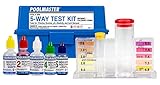
Accurate readings make every chlorine, pH, alkalinity, calcium, and CYA dose safer.
View on Amazon
Helps small particles clump together so the filter can clear cloudy water faster.
View on AmazonGet exact pool chemical doses
Pool Chemical Calculator turns your test readings, pool volume, and target levels into exact treatment amounts for chlorine, pH, alkalinity, calcium, stabilizer, salt, and more.
Open the Pool Chemical Calculator app for iOS, Android, or web.