
How to Flock a Pool With a Sand Filter: The Complete Step-by-Step Guide
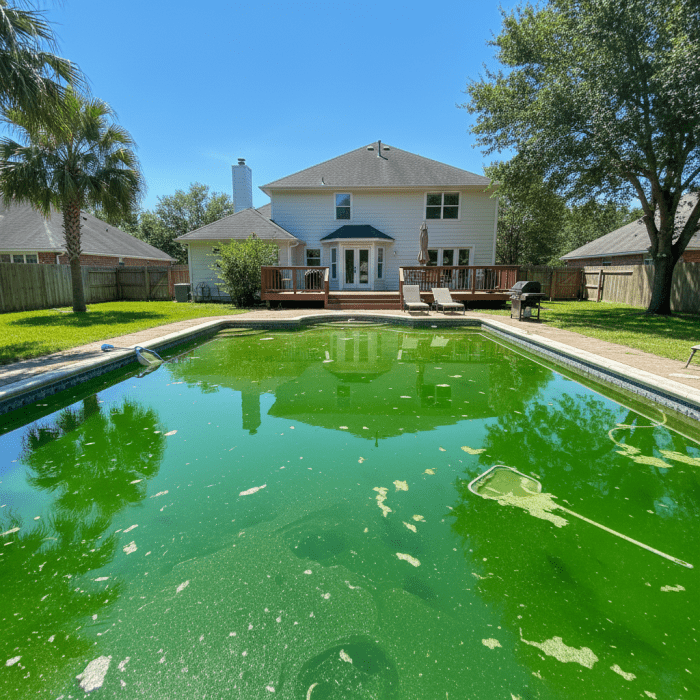
Your pool turned into a murky swamp overnight. Maybe an algae bloom got out of control, or a dust storm rolled through. Either way, your sand filter is working overtime but the water won’t clear. Here’s the thing: when your pool is too cloudy for your filter to handle, flocculant is your secret weapon — and yes, it works perfectly with sand filters when you follow the right valve sequence.
Quick answer
How to Flock a Pool With a Sand Filter: The Complete Step-by-Step Guide: Your pool turned into a murky swamp overnight. Maybe an algae bloom got out of control, or a dust storm rolled through. Either way, your sand filter is working overtime but the water won't clear. Here's the thing: when.
Learning how to flock a pool with a sand filter isn’t complicated, but it does require precise timing and one critical step most people miss: vacuuming to WASTE, not through your filter. Skip that detail, and you’ll pump all that gunk right back into your pool. Let me walk you through exactly how to do this right.
Quick Answer
Add flocculant to your pool, run the pump on “recirculate” for 2 hours to distribute it, then shut off the pump completely for 8-12 hours (overnight works best). The floc binds to microscopic particles and sinks them to the bottom. Then — and this is crucial — set your sand filter’s multiport valve to “waste” and vacuum the settled debris directly out of the pool. Never vacuum floc through your filter, or you’ll clog it and re-cloud your water. Expect to lose 1-3 inches of water during cleanup. Backwash afterward, refill, and rebalance your chemistry.
What We Analyzed: Sand Filter Floc Valve Settings and Timing Matrix
Before we get into the full process, I put together a scenario matrix showing exactly which valve settings to use based on your situation. This helps you avoid the #1 mistake: using the wrong multiport position at the wrong time.
Methodology
I compared common sand-filter flocculant scenarios using product-label guidelines and established pool-care practices. The matrix accounts for cloudiness severity, settling time requirements, and water loss considerations during vacuum-to-waste cleanup.
Valve Settings and Timing by Scenario
| Cloudiness Level | Initial Circulation Setting | Circulation Time | Pump-Off Settling Time | Vacuum Setting | Expected Water Loss | Follow-Up Action |
|——————|—————————|——————|———————-|—————-|——————–|——————–|
| Moderate (can see 3-4 ft deep) | Recirculate | 2 hours | 8-10 hours | Waste | 1-2 inches | Backwash, refill, test water |
| Severe (can’t see bottom) | Recirculate | 2-3 hours | 12-24 hours | Waste | 2-4 inches | Double backwash, refill, shock if needed |
| Post-algae bloom (green water) | Recirculate | 2 hours after shocking | 12-24 hours | Waste | 3-5 inches | Backwash, refill, retest chlorine and pH |
Limitations
Your results will vary based on pool volume, plumbing configuration, water temperature, and the severity of contamination. Always follow the dosage instructions on your specific flocculant product — different brands have different concentrations.
Flocculant vs. Clarifier: Which Do You Need?
These two products get confused constantly, but they work completely differently with sand filters.
Clarifier clumps tiny particles into slightly larger particles that your sand filter can catch. You add it, run your filter normally for 24-48 hours, and backwash. It’s slower but easier — no vacuuming required.
Flocculant clumps particles into heavy chunks that sink straight to the bottom. It works much faster (overnight vs. days), but you must vacuum the debris out manually. Your filter can’t handle floc — trying to filter it will clog your sand and push dirty water back into the pool.
Use flocculant when:
- Your pool is so cloudy you can’t see the bottom
- You need the pool clear within 24 hours
- Clarifier hasn’t worked after multiple applications
- You’ve just killed a major algae bloom and have dead algae floating everywhere
How to Flock a Pool With a Sand Filter
Here’s the complete process, broken into clear steps you can follow this weekend.
Step 1: Balance Your Water Chemistry First
Flocculant works best in balanced water. Test your pool and adjust these levels before adding anything:
- pH: 7.2-7.6 (floc works poorly outside this range)
- Chlorine: 1-3 ppm for maintenance, or complete your shock treatment first if fighting algae
If your pH is above 7.8 or below 7.0, the flocculant won’t bind particles effectively and you’ll waste product. Use our pH calculator to dial in the right amount of acid or base.
Not sure how much water you’re treating? Our pool volume calculator helps you get accurate dosing.
Step 2: Raise Your Water Level 2-4 Inches Above Normal
You’re going to lose water when vacuuming to waste — sometimes a lot of it. A 15,000-gallon pool might drop 3-4 inches during thorough floc cleanup. Top off your pool now so you don’t run your pump dry or suck air through the skimmer mid-vacuum.
Step 3: Set Your Multiport Valve to “Recirculate”
This is where sand filter owners have an advantage. The “recirculate” setting bypasses your filter media entirely, pushing water through the plumbing without filtering. Your flocculant distributes evenly without getting trapped in the sand.
Don’t have a recirculate setting? Some older multiport valves only have filter, backwash, rinse, and waste. In this case, remove the drain plug from your pump basket and run briefly to circulate (messy but works), or carefully brush the flocculant around the pool by hand.
Step 4: Add the Flocculant According to Label Directions
Most liquid flocculants call for 1 quart per 10,000-15,000 gallons, but check your specific product. HTH Super Flocculant is a reliable option that works well with sand filters.
How to add it:
- Fill a 5-gallon bucket halfway with pool water
- Pour the measured flocculant into the bucket
- Walk slowly around the pool’s edge, pouring the diluted mixture as you go
- Focus on distributing it evenly across the surface
Step 5: Run the Pump on Recirculate for 2 Hours
This distributes the flocculant throughout the entire water volume. Don’t skip this step — if the floc doesn’t reach all the suspended particles, you’ll have cloudy patches even after settling.
Step 6: Turn Off the Pump Completely for 8-24 Hours
Here’s where patience pays off. Shut off the pump and leave it off. No filter cycles, no cleaning robot, no waterfalls or fountains. Any water movement disturbs the settling process.
Timing guidance:
- Moderately cloudy water: 8-10 hours (overnight)
- Very cloudy or post-algae water: 12-24 hours
You’ll see the magic happen. The water near the surface starts clearing while a layer of gunk accumulates on the pool floor. By morning, you might have crystal-clear water above a nasty-looking sediment blanket. That’s exactly what you want.
Step 7: Set the Multiport Valve to WASTE (Critical!)
This is the step people mess up. Before you touch that vacuum, switch your multiport valve to “WASTE.” This sends vacuumed water straight to your drain or yard — it never passes through the filter media.
If you vacuum to “FILTER” instead:
- The floc clogs your sand bed
- Dirty water pushes right back into the pool
- You’ll need to replace or deep-clean your filter sand
Step 8: Vacuum the Settled Debris Slowly
Connect your manual vacuum head to a quality vacuum hose and work slowly across the pool floor. And I mean slowly — like watching grass grow.
Why so slow? Fast movements stir up the settled particles and cloud the water again. Move the vacuum head at maybe 6 inches per second. Overlap your rows. If you see clouds billowing up, stop for 30 seconds and let them resettle.
Start at the deep end (where most sediment collects) and work toward the shallow end. Watch your water level — stop and refill if it drops near your skimmer.
Step 9: Backwash and Rinse Your Sand Filter
Even though you vacuumed to waste, some fine particles may have entered the filter during the initial recirculation phase. Give your sand filter a good backwash for 2-3 minutes until the sight glass runs clear, then run “rinse” for 30 seconds to resettle the sand.
Step 10: Refill, Retest, and Rebalance
Top off your pool to normal level, let the fresh water circulate for an hour, then test everything:
- pH levels — fresh water often throws this off
- Chlorine levels — you’ve diluted it with refill water
- Alkalinity — check this if you added significant water
A good test kit makes rebalancing much easier than test strips.
Troubleshooting Common Floc Mistakes
| Problem | Likely Cause | Fix |
|———|————–|—–|
| Water re-clouded during vacuuming | Moved too fast, stirred up sediment | Stop, wait 4-6 hours, vacuum slower |
| Floc didn’t sink overnight | pH out of range or pump ran | Test pH, re-treat with balanced water, ensure pump stays off |
| Cloudy water pushed back after vacuuming | Valve set to “filter” instead of “waste” | Backwash heavily, wait 48 hours, re-floc if needed |
| Only partial clearing | Underdosed flocculant | Add half-dose, recirculate 1 hour, settle again |
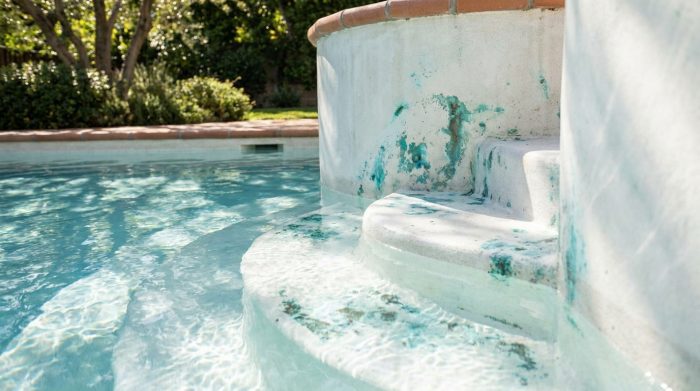
| Floc stuck to walls/steps | Added undiluted or pool had poor circulation | Brush walls, recirculate longer next time |
What If Your Sand Filter Doesn’t Have a Waste Setting?
Some push-pull valve systems and older filters lack a waste position. You have three options:
- Connect a backwash hose and use backwash position — Not ideal, but it sends water out of the pool. The problem: you’re running water backward through the filter.
- Install a three-way valve — A plumber can add a waste line to your existing plumbing for $100-200. Worth it if you deal with algae regularly.
- Use clarifier instead — If you truly can’t vacuum to waste, flocculant isn’t practical for your setup. Stick with pool clarifier and extended filter cycles.
Frequently Asked Questions
Can I use flocculant with a sand filter?
Absolutely. Sand filters work great with flocculant because the multiport valve includes “recirculate” for distribution and “waste” for cleanup. The key is never filtering the settled floc — always vacuum to waste.
How long should I leave the pump off after adding floc?
Minimum 8 hours for moderate cloudiness, 12-24 hours for severe cases or post-algae treatment. Longer settling times produce better results. Overnight is usually perfect for typical situations.
Why did my pool get cloudy again after vacuuming floc?
Two common causes: vacuuming too fast (which stirs sediment back up) or accidentally vacuuming through your filter instead of to waste. If it happened mid-vacuum, stop immediately, let the water settle for several hours, and try again slower.
How much water will I lose when vacuuming to waste?
Expect to lose 1-4 inches depending on how much debris you’re removing and how slowly you work. Severe cases or large pools might lose more. Always top up your water level before starting.
Should I shock my pool before or after using flocculant?
Shock first if you’re dealing with algae. Kill the algae, let it die and turn white/gray (12-24 hours), then use flocculant to sink the dead algae for removal. Shocking after floc treatment just wastes chemicals.
Sources
- River Pools and Spas: Beginner’s Guide to Pool Flocculants — Covers basic flocculant principles and application methods
- White’s Pools: Pool Flocculant Guide — Detailed product comparison and usage tips
- Trouble Free Pool: Vacuuming Method After Flocculant — Community discussion on proper vacuum technique
- Trouble Free Pool: Flocculant Filter Mistakes — Real examples of common errors and fixes
Get Your Pool Chemistry Right
After clearing your water with flocculant, you’ll need to rebalance your chemicals. Fresh refill water throws off pH, dilutes chlorine, and changes alkalinity. Don’t guess — use our free Pool Chemical Calculator to get exact dosing for your pool size.
For more pool care tips, equipment reviews, and troubleshooting guides, check out our latest articles.
Recommended pool supplies
As an Amazon Associate, Pool Chemical Calculator earns from qualifying purchases.

Helpful for spot-cleaning settled debris, dead algae, and problem areas after treatment.
View on Amazon
Accurate readings make every chlorine, pH, alkalinity, calcium, and CYA dose safer.
View on Amazon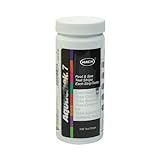
Fast daily checks between full liquid tests, especially during heavy swim season.
View on AmazonGet exact pool chemical doses
Pool Chemical Calculator turns your test readings, pool volume, and target levels into exact treatment amounts for chlorine, pH, alkalinity, calcium, stabilizer, salt, and more.
Open the Pool Chemical Calculator app for iOS, Android, or web.